3 days free No card · once per account
Wherever you are,
take the Godroad.
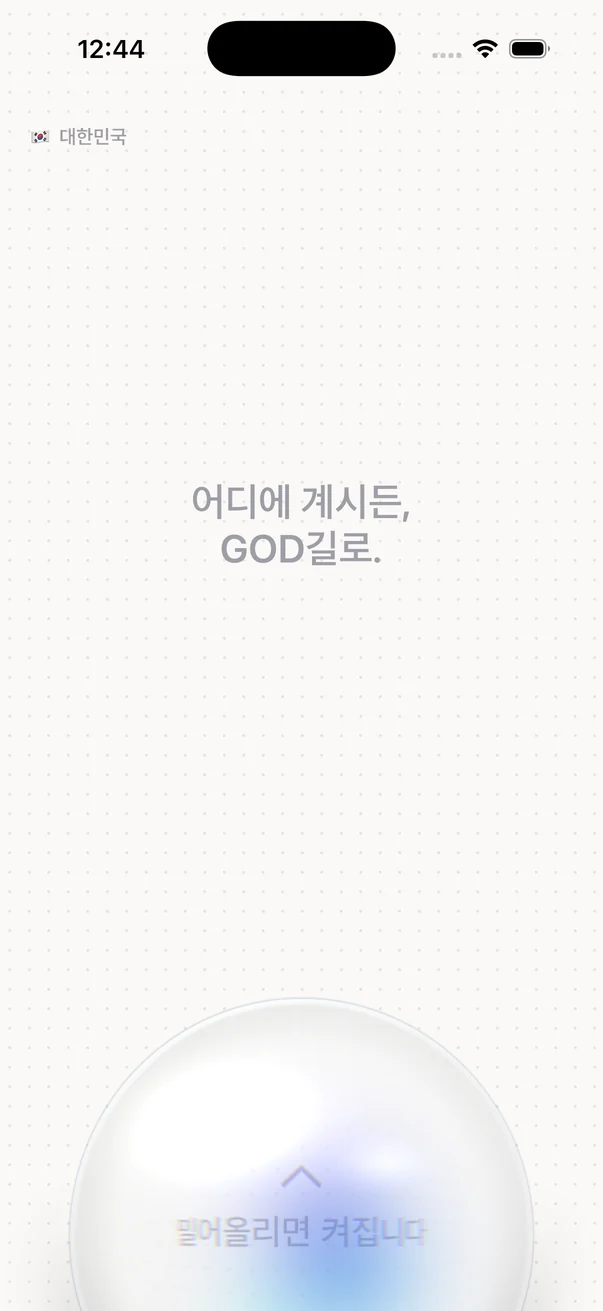
A VPN that works in China too. Sign in, slide the switch in the middle up, and you are connected.
Slide up to connect
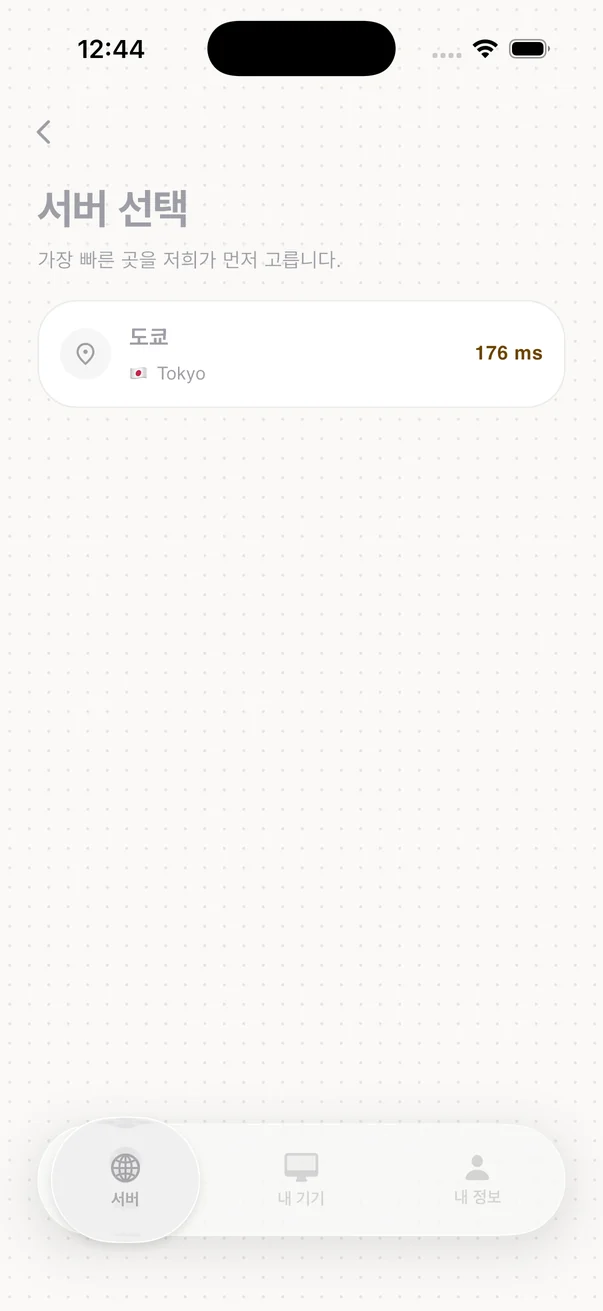
The app's first screen has a single glass switch. You do not need to pick a server — the app picks the one that connects well for you.
-
01
Sign in
Start with Kakao, Google or Apple. We never create, receive or store a password.
-
02
Install the app
Get the app for your device and sign in with the same account. The server list arrives by itself.
-
03
Slide up
Slide the switch in the middle up to connect, and down to disconnect.
The app screens are shown in Korean.
Most of what you use every day does not open in China
On a trip or on business, it stops on the day you land. Work email and maps are often blocked too, and without preparing beforehand there is little you can do.
- Google — Search · Gmail · Drive · Maps
- YouTube · Instagram · Facebook
- Work tools — Slack · Notion · GitHub are slow or cut off
- Well-known VPNs — the famous names are blocked first
How we open the road
-
Looks like ordinary HTTPS
We use REALITY. Traffic takes the same shape as an ordinary HTTPS connection to a real website, which reduces the traits that mark it as a VPN.
-
We run our own servers
We do not rent someone else's VPN network. When a server is blocked we replace it, and the app keeps working when the address changes — nothing to set up again.
-
When one route fails, the next one
If the main route wavers, the app moves to the next server by itself. A backup protocol (Hysteria2) is ready as well.
One wink, and the road is open
We are not reselling someone else's servers. We set up our own servers and fix them ourselves when they are blocked. The app picks the road, so all you do is slide the switch up.

Try it for 3 days first
Your 3 days start the moment you sign up and accept the terms. You do not need to register a card, and nothing is charged automatically when the 3 days end. Once per account.
Free trial
- Starts as soon as you sign up
- No card to register
- We remind you once in the app a day before it ends
- When it ends, the connection stops — nothing is charged
Ads while you use it for free
- One banner at the bottom of the Android app
- It goes away once you start a pass
- The iPhone app has no ads
- The Mac and Windows apps have no ads either
- No full-screen or rewarded ads
We ask how your day went
- One tap and you are done. You may skip it
- Anything you write is deleted after 60 days
- We give nothing in return for a good rating
- Deleting your account deletes it too
The details are in sections 4-1 to 4-3 of the Terms of Service and sections 5-1 to 5-2 of the Privacy Policy.
Your device comes first
You can use two slots together: one mobile device and one computer. The Chrome extension is a helper that only works in Chrome on a computer where the app is running. The Windows and macOS apps protect the traffic of apps that follow the system proxy; they do not force every program on the computer into the tunnel.
One plan, that is all
The first 3 days are free. When they end, you start the pass below yourself if you want to keep going — it never starts on its own.
You use it for one month (30 days) from the day you pay. Auto-renewal charges every 30 days only if you register a card and turn it on in My account, and we tell you the next payment date and amount before charging. You can turn automatic payment off with one tap in My account, and you keep the days you already paid for until they end. If you do not turn it on, the pass ends after 30 days with no further charge. Automatic payment by card opens after the payment processor's review is complete.
- 1 mobile + 1 computer
- No speed caps · no data caps
- 3-day free trial — no card needed
- Full refund if you never connect within 7 days of paying
Two ways to pay, depending on where you use it
- iPhone app
- You pay with Apple in-app purchase (an App Store subscription). The price is shown in the App Store payment sheet, and you manage renewal and cancellation in Settings › Apple ID › Subscriptions on your device. Refunds follow Apple's own process (Terms of Service 4-5).
- Android · Mac · Windows · web
- You pay with KakaoPay on this website's payment page. PortOne processes the payment, and your card number never stays with us.
- Why this price. We run the servers ourselves, so nobody in the middle takes a cut.
- Refunds. If you paid on this website and have not connected even once within 7 days of paying, we refund the full amount. Otherwise we refund the remaining days. You can request a refund by email or phone; we process it within 3 business days of your request, and if we are late we add delay compensation at 15% a year for the days of delay. See the Refund Policy for details.
Every VPN says it keeps nothing
So instead of saying it, we wrote down exactly what we store and what we do not. The table below is everything we store about your VPN connections and traffic. What we need for accounts, devices and payments is listed in full in the Privacy Policy.
| Item | Kept for | Why |
|---|---|---|
| Connection time · country | 30 days | Needed for the dashboard |
| Usage (bytes sent and received) | Not stored on our servers | The "so far" figure in the app is kept only on your device |
| Your full IP address | Country taken, the rest discarded | If a law requires retention, we keep only the minimum items it sets, encrypted separately |
| Sites you visit | Not stored | There is no way for us to collect them |
The operator runs the servers
Traffic never passes through a third party's VPN network. If another company sat in the middle, even we could not know what it records. We removed that leg entirely.
The extension knows three things
All the Chrome extension can see is the local ports 10808
10809 10810 on your computer and the server's display name.
Warrant canary
One page states whether we have ever received a demand for data from investigators. The date we last checked is written on that page. Read it
No secrets on screen
Server addresses, access tokens and account identifiers never appear in the app or on this site. What is not on screen cannot leak over a shoulder or through screen sharing.
Questions people ask first
Am I charged automatically when the 3 days end?
No. The trial takes no card, so there is no way to charge you. After 3 days the connection stops, and that is all.
We remind you once in the app a day before it ends. If you want to keep going, start a pass yourself at that point. You may also start one during the trial.
The trial is once per account.
Are there ads while I use it for free?
Only in the Android app: while you have not started a pass, one banner sits at the bottom of the screen. It goes away once you start a pass.
The iPhone app has no ads. The Mac and Windows apps have no ads either. We do not use full-screen or rewarded ads.
We never pass your connection records or the sites you visit to advertisers — we do not have them. See section 5-1 of the Privacy Policy.
How do I pay on an iPhone?
In the iPhone app you pay with Apple in-app purchase (an App Store subscription). The price is shown in the App Store payment sheet, and Apple does the charging.
Cancel and manage it in Settings › Apple ID › Subscriptions on your device. If you cancel, you keep the days already paid for. Apple handles refunds under its own process.
On Android, Mac, Windows and the web you pay with KakaoPay on this website's payment page. See section 4-5 of the Terms of Service.
How many devices can I use?
Two: one mobile device and one computer. Not any two devices — the combination is fixed.
An iPhone and a Windows PC work together. An iPhone and a Mac do too. An iPhone and an Android phone do not — both are mobile slots. Windows and Mac do not either, for the same reason.
To switch devices, free the slot in My account, or choose disconnect the old device and continue here on the new one. Freeing a slot also cuts that device's access. Signing in to this website does not use a device slot.
Can I get a refund?
If you paid on this website and have not connected even once within 7 days of paying, we refund the full amount. If you have used it, we refund the remaining days, counted by date. You can request a refund by email or phone; we process it within 3 business days of your request, and if we are late we add delay compensation at 15% a year for the days of delay.
If you paid through the App Store in the iPhone app, Apple handles the refund under its own process.
If you turned automatic payment on, one tap in My account turns it off. You keep the days you paid for until they end. After that the pass ends and the app stops receiving the server list.
What if it suddenly stops working in China?
The app first moves to the next server on its own. If that fails too, it reconnects over a backup protocol.
We see blocking on our side right away — a jump in failed connections is the signal. We respond by swapping server addresses, and you can leave the app as it is. You never have to set it up again.
We recommend installing the app and signing in once before you leave. App stores themselves can be hard to reach once you arrive.
Can you see which sites I visit?
No. There is no code that collects the sites you visit. We take only the country from your IP address and discard the rest right away. If a law requires retention, we keep only the minimum items it sets, encrypted separately, for the legal period, and then destroy them.
What remains is connection time and country, and both are deleted after 30 days. Usage stays on your device. The table above is everything we have.